View Audit Log Report In Rent Cafe
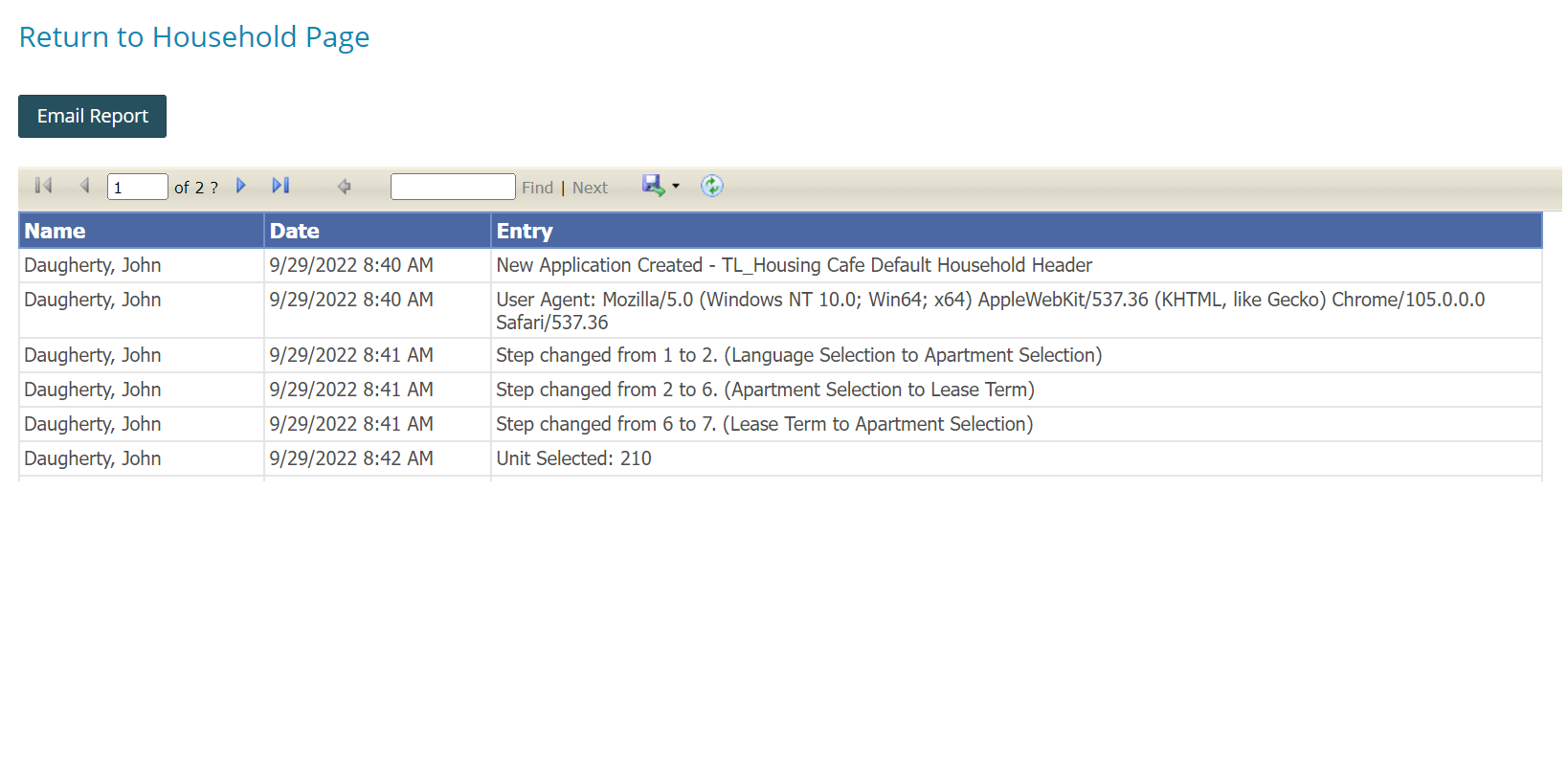
The Audit Log allows you to see certain application-level activities that are logged, including information about the user, the time, and the type of activity that occurred. This report helps the Site Manager determine the steps the applicant has completed
How to View the Audit Log Report for an Applicant
Navigate to the Household Page
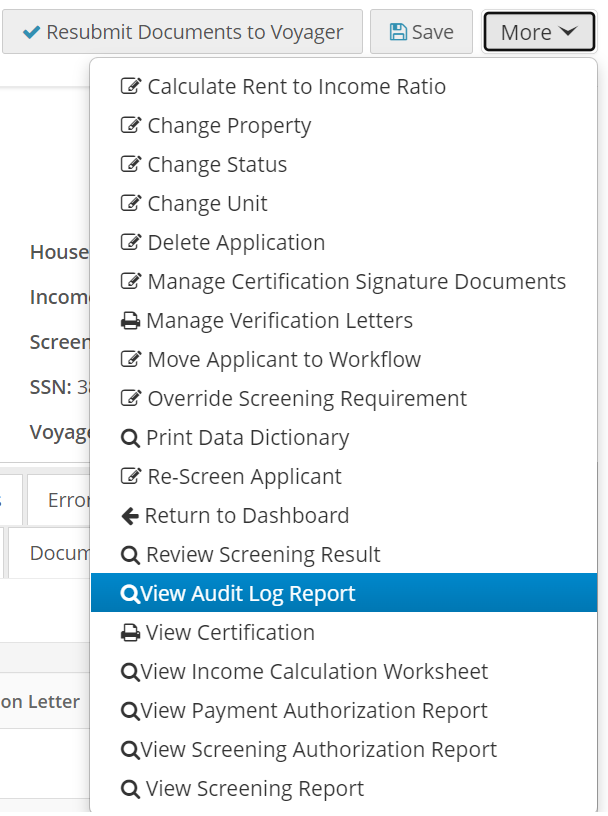
- From the desired Household Page, click the More button.
- Select View Audit Log Report.
View Audit Log Page
- The View Audit Log page will appear.
Save the Report
- To save the report in various formats, click the disk icon.
Email the Report
- Click on Email Report.
- Select the appropriate Export Type (PDF or Excel).
- Fill in the email details as desired.
- Click Send Email.
Related Articles
How to View An Applicant's Waitlist Position/Remove from the Waitlist
It is possible to view an applicant's position on a waitlist from the Household Page on a submitted waiting list application .(See attachments) It is possible to remove an applicant from a waitlist on the Household Page from a submitted waiting list ...Payment Activity report (Rent Cafe )
Generating the Payment Activity report Use the Payments report to view: One-time payments that guests, guarantors, or residents have made. Recurring payment schedules that residents or guarantors have set up. Recurring payments themselves do not ...RentCafe Affordable Job Aid
Interactive Instruction Manual for RentCafe AffordableGenerating the Check Voyager Setup report (Rent Cafe)
Use the Check Voyager Setup report to review the payment settings in Voyager that affect RENTCafé Site Manager activity. You can review the payment accounts linked to each financial entity that is setup by property. To generate the Check Voyager ...Creating Applications In Rent Cafe for Applicants
Site managers can create an application in Rent Cafe for applicants within Site Manager by following these steps: Steps to Create an Application Navigate to the Compliance Dashboard: Go to the Compliance Dashboard. Click on Search All. Select Create ...